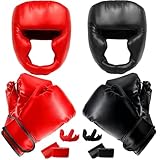
So, you’re ready to get your boxing on with your Nintendo Wii? Awesome! Wii boxing is a fantastic way to get some exercise and have a blast. But before you can start throwing virtual punches, you need to know how to properly equip those boxing gloves with your Wii remotes. Don’t worry, it’s a straightforward process, but getting it right is essential for accurate gameplay and, more importantly, protecting your controllers. I’ll guide you through every step, ensuring you’re ready to step into the ring in no time.
We’ll cover everything from identifying the different parts of your Wii remote to correctly positioning them within the gloves. I’ll also share some handy tips to ensure a secure fit, preventing any unwanted slips or ejections during your boxing matches. Let’s get started and make sure you’re ready to rumble!
Understanding Your Wii Remote and Boxing Gloves
Before we begin, let’s familiarize ourselves with the key components. Your Wii remote, or Wiimote, is the heart of the experience. It houses the motion sensors that track your movements, translating them into on-screen actions. The boxing gloves are designed to hold these remotes, allowing you to mimic boxing punches and blocks.
Identifying the Wii Remote Components
The Wii remote has several important parts:
- The D-pad: The directional pad, typically found on the left side of the remote.
- The A button: The large button in the center, often used for confirming actions.
- The B button: Located on the underside of the remote, often used for actions like throwing a punch in boxing games.
- The Plus and Minus buttons: Used for menu navigation and other game-specific functions.
- The 1 and 2 buttons: Located near the bottom, used for various in-game actions.
- The Power button: Used to turn the remote on and off.
- The IR sensor: Located at the front of the remote, used in conjunction with the sensor bar.
Boxing Glove Anatomy
Wii boxing gloves typically have a few key parts:
- The wrist strap: Secures the glove to your wrist.
- The controller pocket: The area where the Wii remote is inserted.
- The hand compartment: The space where your hand goes.
- Velcro or strap closures: Used to secure the glove around your hand and wrist.
Step-by-Step Guide: Inserting the Controllers
Now, let’s get to the main event: inserting the Wii remotes into the boxing gloves. Follow these steps carefully for a proper and secure fit.
Step 1: Open the Controller Pocket
Most boxing gloves have a dedicated pocket designed to hold the Wii remote. This pocket is usually located on the back of the glove, near the wrist or palm area. Locate the opening of this pocket. It might have a Velcro closure, a strap, or simply be a slightly elastic opening.
Step 2: Position the Wii Remote
Carefully slide the Wii remote into the pocket. The orientation matters! The buttons (A, B, 1, 2, Plus, Minus) should typically face outwards, towards the direction of your punches. The IR sensor (the black area at the top of the remote) should also face outwards, as it needs to ‘see’ the sensor bar above or below your TV for proper motion tracking.
Step 3: Secure the Remote
Once the remote is inside, ensure it’s positioned correctly. Make sure the buttons are accessible, and the IR sensor isn’t blocked. If the pocket has a Velcro closure or strap, secure it firmly. This will prevent the remote from slipping out during gameplay. Some gloves also have a small strap or elastic band inside the pocket to further secure the remote.
Step 4: Repeat for the Other Glove
Follow the same steps for the other boxing glove. This ensures you have a remote in each glove, allowing you to control both hands in the game.
Troubleshooting Common Issues
Sometimes, things don’t go perfectly. Here are some common issues and how to resolve them:
The Remote Feels Loose
If the remote feels loose inside the glove, it might not be fully seated or the pocket closure might not be tight enough. Double-check the positioning and make sure the Velcro or strap is securely fastened. You might also try a different brand or model of gloves, as the fit can vary. (See Also: Are Muay Thai Gloves The Same As Boxing Gloves )
The Buttons Are Hard to Press
If the buttons on the remote are difficult to press once inside the glove, the pocket might be too tight, or the remote might be positioned incorrectly. Adjust the positioning and make sure the buttons aren’t pressed against the inside of the glove. Consider using gloves specifically designed for larger hands or remotes.
The Remote Keeps Slipping Out
If the remote keeps slipping out, the pocket is likely not secure enough. Tighten the closure (Velcro or strap) as much as possible. Consider using a small piece of tape to further secure the remote inside the pocket, but be careful not to block the buttons or IR sensor. Check if the gloves are worn out or if they are the correct size for your hands.
Motion Tracking Is Inaccurate
Inaccurate motion tracking can be caused by several factors, including the remote’s position within the glove, interference from other light sources, or a faulty sensor bar. Ensure the IR sensor on the remote has a clear view of the sensor bar. Make sure the sensor bar is properly positioned above or below your TV and that there are no bright lights or reflections interfering with the signal. Try recalibrating the motion controls in your Wii boxing game’s settings.
Tips for a Better Boxing Experience
Here are some additional tips to enhance your Wii boxing experience:
Choosing the Right Gloves
Not all boxing gloves are created equal. Consider these factors when choosing a pair:
- Size: Make sure the gloves fit your hands comfortably. Too small, and they’ll be restrictive; too large, and the remotes might slip.
- Material: Look for durable and breathable materials.
- Closure: Velcro closures are generally easier to use than strap closures.
- Padding: More padding can provide better protection for your hands.
- Compatibility: Ensure the gloves are specifically designed for the Wii remote.
Proper Wrist Support
Always use the wrist straps on the gloves. They provide crucial support and help prevent injuries, especially during more vigorous play.
Sensor Bar Placement
The sensor bar plays a vital role in motion tracking. Position it above or below your TV, centered and facing you. Make sure there are no obstructions blocking the sensor bar’s view.
Calibration
Most Wii boxing games offer calibration options. Follow the on-screen instructions to calibrate the remotes before each match. This ensures accurate motion tracking and a more enjoyable gaming experience.
Playing Area
Make sure you have enough space around you to swing your arms freely without hitting anything or anyone. Clear the area of any obstacles.
Take Breaks
Wii boxing can be a great workout, but it’s important to take breaks to avoid fatigue and potential injuries. Rest your hands and wrists periodically.
Explore Different Games
There are many Wii boxing games available, each with its own unique features and gameplay styles. Experiment with different games to find the ones you enjoy the most. (See Also: Can You Wrestle In Boxing Shoes )
Maintaining Your Boxing Gloves
Proper maintenance will extend the life of your boxing gloves and keep them in good condition.
Cleaning
Wipe down the gloves after each use with a damp cloth to remove sweat and dirt. Avoid using harsh chemicals or abrasive cleaners.
Drying
Allow the gloves to air dry completely after cleaning. Avoid placing them in direct sunlight or near a heat source, as this can damage the material.
Storage
Store the gloves in a cool, dry place when not in use. Avoid folding or crushing them, as this can damage the padding.
Alternatives and Enhancements
While the standard Wii boxing experience is great, there are some alternatives and enhancements you might consider:
Third-Party Controllers
Some third-party controllers are designed specifically for Wii boxing. These controllers often offer improved ergonomics and features. Research and compare them to see if they meet your requirements.
Motionplus Adapters
Some Wii games and remotes benefit from the use of MotionPlus adapters. These adapters enhance the precision of motion tracking. See if your favorite boxing game supports MotionPlus.
Protective Cases for Remotes
Consider using protective cases for your Wii remotes. These cases can help protect the remotes from damage if they are accidentally dropped or hit during gameplay.
Comparing Different Glove Types
Here’s a comparison of common Wii boxing glove types:
| Feature | Standard Boxing Gloves | Deluxe Boxing Gloves |
|---|---|---|
| Material | Typically synthetic | Often higher-quality synthetic or leather |
| Padding | Basic | More extensive padding for increased protection |
| Closure | Velcro or strap | Velcro, strap, or sometimes a combination |
| Fit | Standard | Often offer a more snug and secure fit |
| Durability | Good | Generally more durable |
| Price | Lower | Higher |
Advanced Techniques and Gameplay Tips
Once you’re comfortable with the basics, you can start exploring advanced techniques and gameplay tips to improve your boxing skills.
Practice Your Footwork
Good footwork is essential in boxing. Practice moving around the ring, dodging punches, and positioning yourself for the best angles to throw punches. Many Wii boxing games incorporate footwork controls, so master those. (See Also: Is Everlast Good Boxing Gloves )
Master the Punches
Learn the different types of punches and practice throwing them accurately and with power. Experiment with different combinations of punches to find what works best for you. Practice the uppercut, hook, and jabs.
Learn to Block and Dodge
Blocking and dodging are crucial for defense. Learn to anticipate your opponent’s punches and react quickly to block or dodge them. Many Wii boxing games have specific controls for blocking and dodging.
Study Your Opponent
Pay attention to your opponent’s fighting style and patterns. Identify their weaknesses and exploit them. Learn to read their movements and predict their attacks.
Use the Special Moves
Many Wii boxing games have special moves that can give you an advantage. Learn how to execute these moves and use them strategically during matches.
Customize Your Fighter
If the game allows, customize your fighter’s appearance, skills, and equipment to suit your preferences and play style. This can enhance your overall experience.
Play Online (if Available)
If the game has an online mode, play against other players to test your skills and learn from others. This can be a great way to improve your boxing skills and enjoy the game.
Adjust Difficulty Settings
Adjust the difficulty settings to match your skill level. Start with easier settings and gradually increase the difficulty as you improve.
Watch Tutorials and Guides
Watch online tutorials and guides to learn advanced techniques and strategies. There are many resources available that can help you improve your boxing skills.
Verdict
Inserting your Wii remotes into boxing gloves is the first step toward an exciting virtual boxing experience. By following these simple steps, you’ll be ready to start throwing punches in no time. Remember to always prioritize a secure fit, and make sure the remotes are positioned correctly to ensure accurate gameplay. With a little practice, you’ll be dominating the ring in your favorite Wii boxing game. Have fun and enjoy the workout!
Remember to choose the right gloves, take breaks, and prioritize your safety. Wii boxing is a great way to have fun and stay active. Now go out there and show off those boxing skills!